
IMPORTANT INFORMATION:
- Forward / Accept: Tickets are only transferred out of your account once the person you've forwarded it to accepts the ticket/s it via the email you sent it to. (If the person you forwarded it to doesn't accept the ticket/s it will remain in your account)
- The receiver will then be prompted to create an INTIX account to view their tickets via website or the INTIX app.
- You are unable to forward the same ticket to multiple email addresses.
- Cancel Forward: You may cancel a forward up until someone accepts it
To forward a ticket from your account:
- From the Confirmation email, click "View and manage your order online"
-OR- - Login to INTIX
AU - intix.com.au
NZ - intix.co.nz
UK - intix.co.uk
US - intix.com
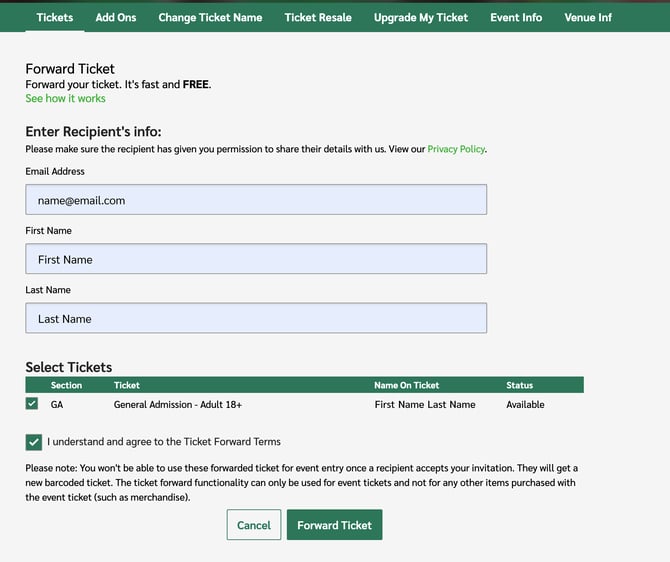
> My Tickets > Select the order you want to forward tickets from - Click "Forward " and enter relevant details: email, first name and last name.
- Select the ticket/s you wish to forward
- Read and agree to the Ticket Forward Terms
- Select 'Forward Ticket'
Confirmation of forward:
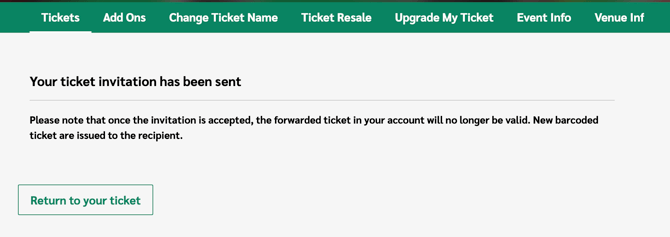
Select 'Return to your ticket' and you will see the pending forward:
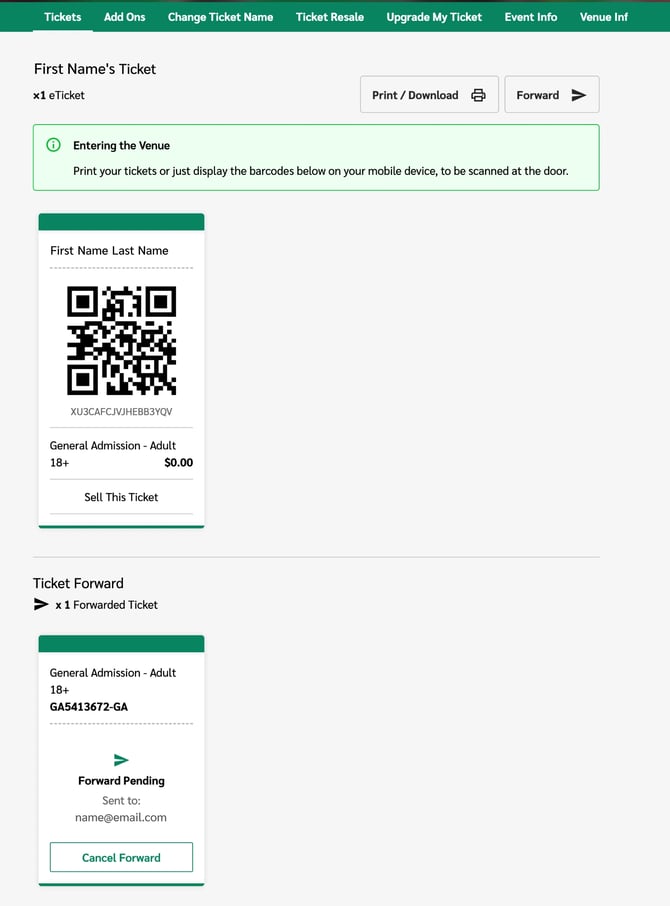
Cancel Forward:
From here, you may cancel the forward at any time up until the moment it gets accepted by the recipient. Click the Cancel Forward button.
The receiver will be notified of the ticket forward cancellation.
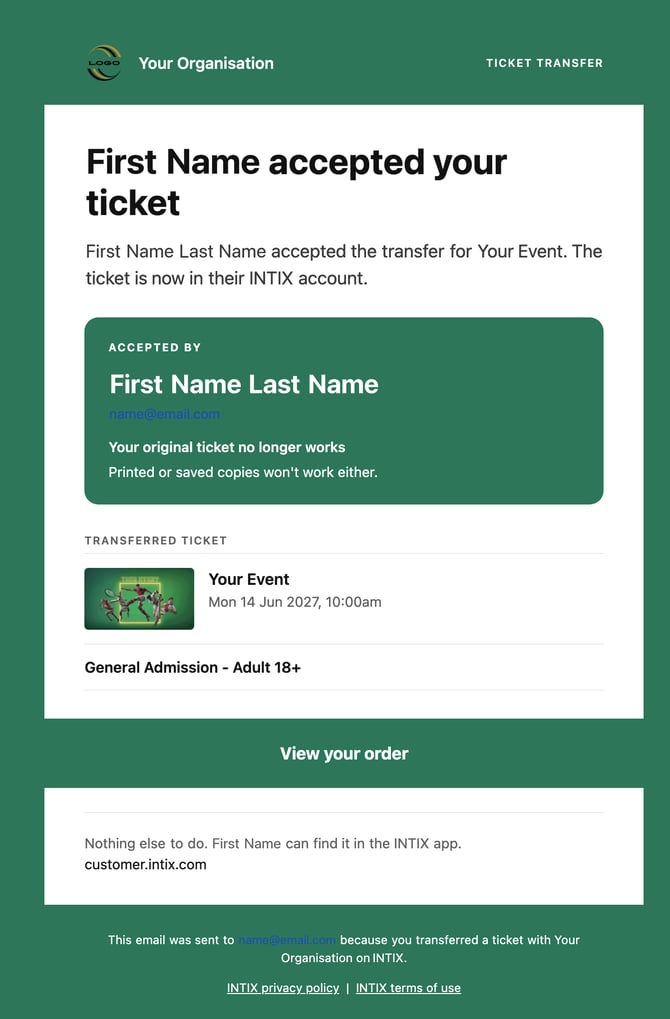
Confirmation of Ticket accepted:
You will receive an email notification once the ticket has been accepted by the receiver.
NOTE: the name on a ticket should match the ticket holder's ID - this helps event organisers to stamp out ticket scalping. Most event organisers require name verification, so if tickets and ID don't match, you may be refused entry - and nobody wants that!
Questions? Email help@intix.com