
Here's how to buy an add-on for a ticket you already have.
Log in to INTIX to view your tickets:
AU - intix.com.au
NZ - intix.co.nz
UK - intix.co.uk
US - intix.com
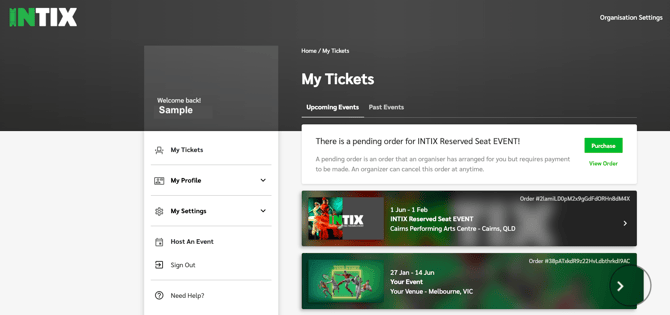
- Go to My Tickets and click the order for your event.
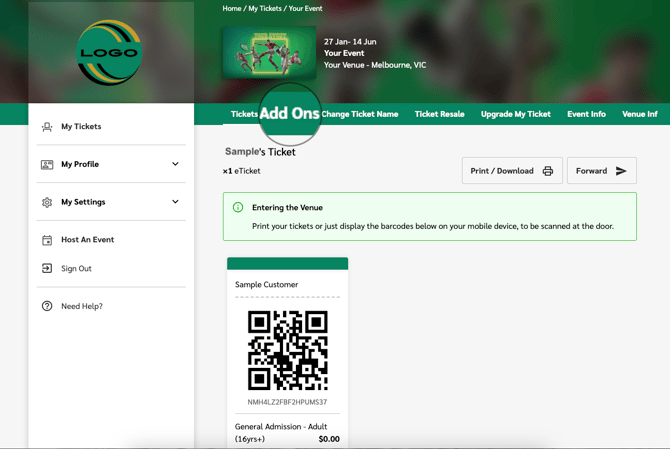
- Click Add Ons in the bar at the top of your ticket. Any add-ons you've already bought will also be listed here.
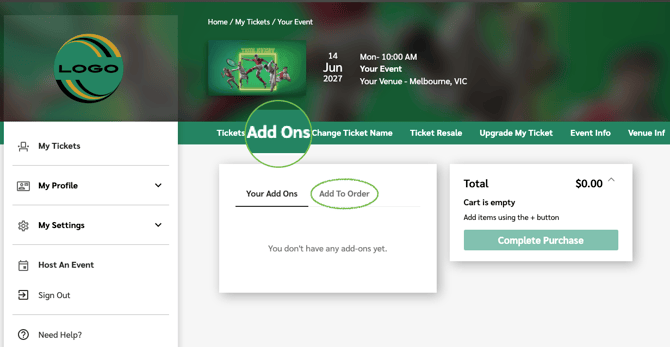
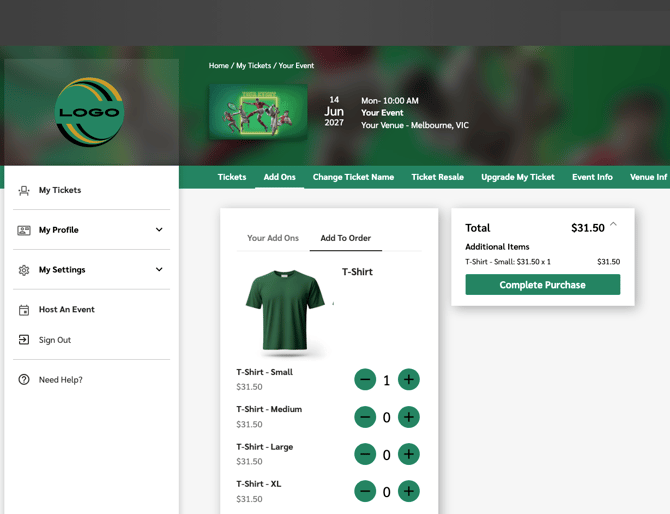
- Choose your Add Ons by selecting 'Add To Order', pick your items
- Complete Purchase
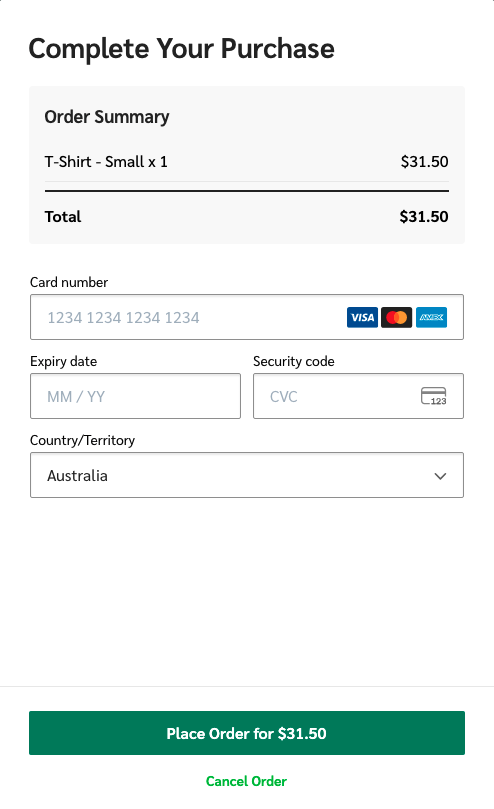
- Check your cart, enter your card details and click Place Order.
- Done! Your add-on now appears on your ticket tax invoice.
Refer to screenshots below to assist you in the process.
Go to My Tickets, click the ticket order for the event:
In the ticket view, click "Add Ons" from banner:
If you have existing Add Ons in this order, you will view them here.
If you wish to purchase Add Ons, click Add To Order:
Add your items to cart, and click "Complete Purchase":
Review your cart, enter card details, and click "Place Order":
Done! Your add-on appears on your ticket tax invoice.
Need help? Email help@intix.com
Be sure to include pertinent details (order number and event) in your enquiry.